Part 4 : 환경광 추가하기
지금까지 만든 셰이더는 간단한 point and directional light source에 대해서만 적용했습니다. (shader.frag 에서는 light source들에 대해서 loop를 돌며 값은 누적하는 방식으로 계산되어 있다는 것에 주목하세요)
이번 part에서는 좀 더 복잡한 광원을 구현해봅시다. 이번 광원은 "image based environment light (이미지 기반 환경광)" 라고 불리는데, 씬에서 무한히 먼 광원으로부터 오는 것을 표현하며 모든 방향에서 빛이 들어옵니다. 씬이 무한한 크기의 구로 둘러싸여있다고 생각하면 될 것 같습니다.
기반 이미지 텍스쳐의 (x, y) 값은 앞서 말씀드린 무한한 구의 좌표값으로 변환됩니다.
결과 이미지
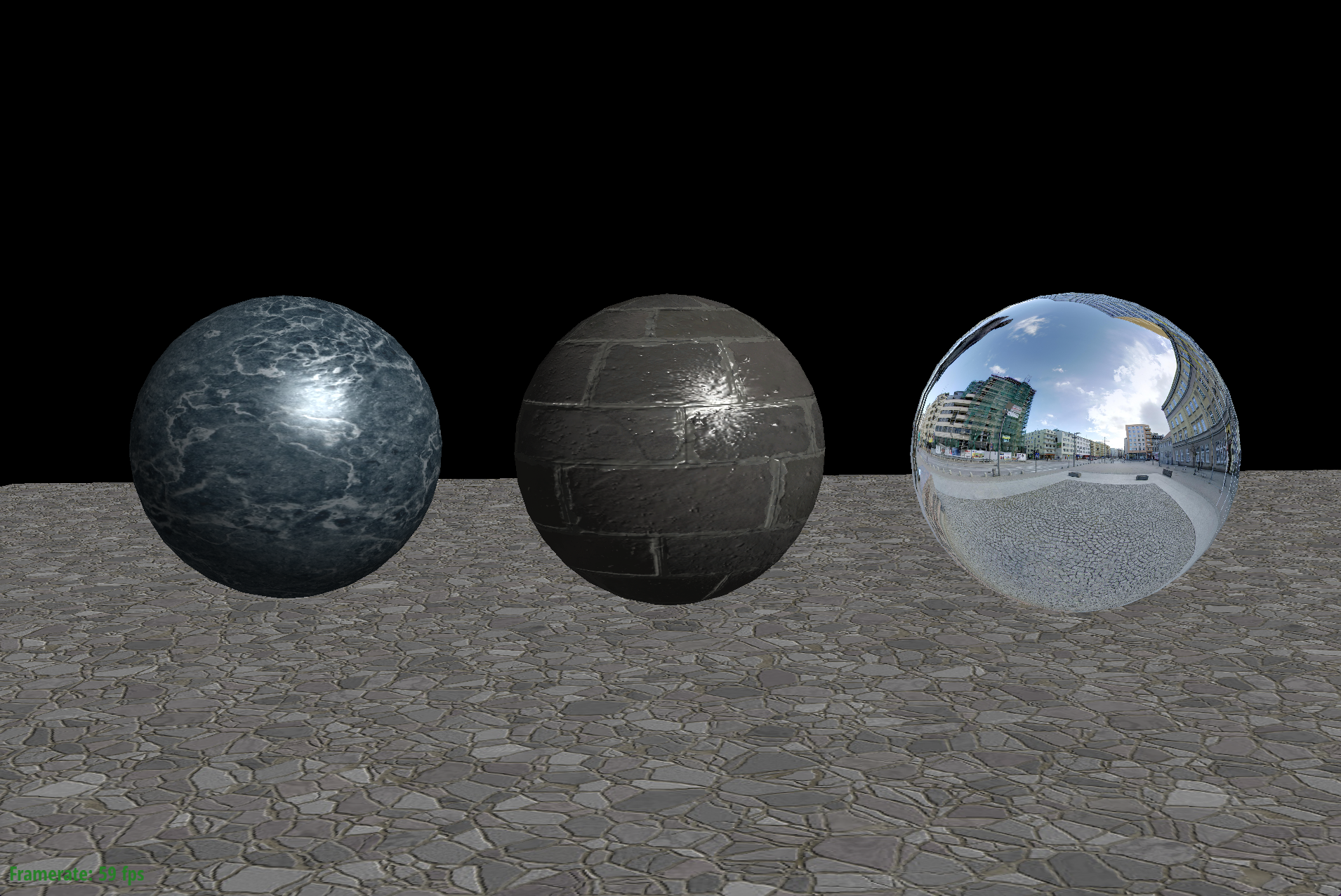
이번 part 4를 구현한 결과입니다.
수정해야 할 파일
- src/shader/shader.frag
- src/dynamic_scene/mesh.cpp:Mesh::internalDraw()
가이드라인
- 노말 매핑 처럼, 환경 맵 텍스쳐는 셰이더로 전달되지 않았습니다. Part3 노말 매핑처럼, environmentTextureId_ 값으로 셰이더에 값을 넘겨주어야합니다. Mesh::internalDraw 에서 코드 추가와 fragment shader코드에서 sampler variable를 추가해주세요.
- shader.frag의 dir2camera는 fragment의 표면 -> 카메라를 가리키는 world공간의 벡터이며, 정규화되지는 않았습니다.
- vec3 SampleEnvironmentMap(vec3 D) 함수는 방향(씬에서부터 나가는 방향)을 입력으로 받아, 환경광으로부터 얻어지는 radiance (발광값) 을 return 해주는 함수입니다. 이러한 빛은 무한히 먼 광원으로부터 물체 표면으로 도착하는 빛을 의미합니다.
- 환경 맵를 잘 구현하기 위해, 3D 유클리디안으로 표현된 반사 방향을, 구면좌표계의 $\phi$와 $\theta$로 변환해야합니다. 이번 과제 렌더링은 Right-handed coodinate system (Y가 위, X가 우측, Z가 카메라를 보는 방향) 을 사용하게 되어있습니다.
그래서 XYZ 좌표를 구면좌표계 값으로 변환하는 정규표현식을 구현해야합니다. 특히, 이번 과제에서는 벡터와 Y축 사이의 각이 polar angle $\theta$입니다. azimuthal angle $\phi$는 벡터를 YZ plane위에 있을 때 0이며, XY면으로 회전할수록 커지는 값입니다.
두 각의 범위에 주의하세요.
코드 수정
Mesh::internalDraw
internalDraw에서 environmentTexture를 셰이더로 넘겨주는 부분입니다.
"environmentTextureSampler" 라는 변수이름으로 넘겨준다는 의미입니다.
// bind texture samplers ///////////////////////////////////

if (doTextureMapping_)
    shader_->setTextureSampler("diffuseTextureSampler", diffuseTextureId_);

// TODO CS248 Part 3: Normal Mapping:
// You want to pass the normal texture into the shader program.
// See diffuseTextureSampler for an example of passing textures.

if (doNormalMapping_)
    shader_->setTextureSampler("normalTextureSampler", normalTextureId_);

// TODO CS248 Part 4: Environment Mapping:
// You want to pass the environment texture into the shader program.
// See diffuseTextureSampler for an example of passing textures.
if (doEnvironmentMapping_)
    shader_->setTextureSampler("environmentTextureSampler", environmentTextureId_);
shader.frag
fragment shader코드에 sampler2D 값으로 environmentTextureSampler 변수를 저장합니다.
//
// texture maps
//

uniform sampler2D diffuseTextureSampler;

// TODO CS248 Part 3: Normal Mapping

uniform sampler2D normalTextureSampler;

// TODO CS248 Part 4: Environment Mapping

uniform sampler2D environmentTextureSampler;
shader.frag의 main 함수를 보시면, MirrorBRDF 사용 시, SampleEnvironmentMap 함수에서 envColor를 계산합니다.
SampleEnvironmentMap 함수가 제대로 구현되어있는지는 아래에서 확인해봅시다.
또한 vec3 R가 반사된 벡터를 의미하는데 의미없는 vec3(1.0)값이 들어있습니다. dir2camera인 V의 반사 벡터 R도 구해주어야합니다.
vec3 V = normalize(dir2camera);
vec3 Lo = vec3(0.1 * diffuseColor);   // this is ambient

/////////////////////////////////////////////////////////////////////////
// Phase 2: Evaluate lighting and surface BRDF
/////////////////////////////////////////////////////////////////////////

if (useMirrorBRDF) {
    //
    // TODO: CS248 Part 4: Environment Mapping:
    // compute perfect mirror reflection direction here.
    // You'll also need to implement environment map sampling in SampleEnvironmentMap()
    //
    vec3 R = normalize(vec3(1.0));
    //

    // sample environment map
    vec3 envColor = SampleEnvironmentMap(R);

    // this is a perfect mirror material, so we'll just return the light incident
    // from the reflection direction
    fragColor = vec4(envColor, 1);
    return;
}
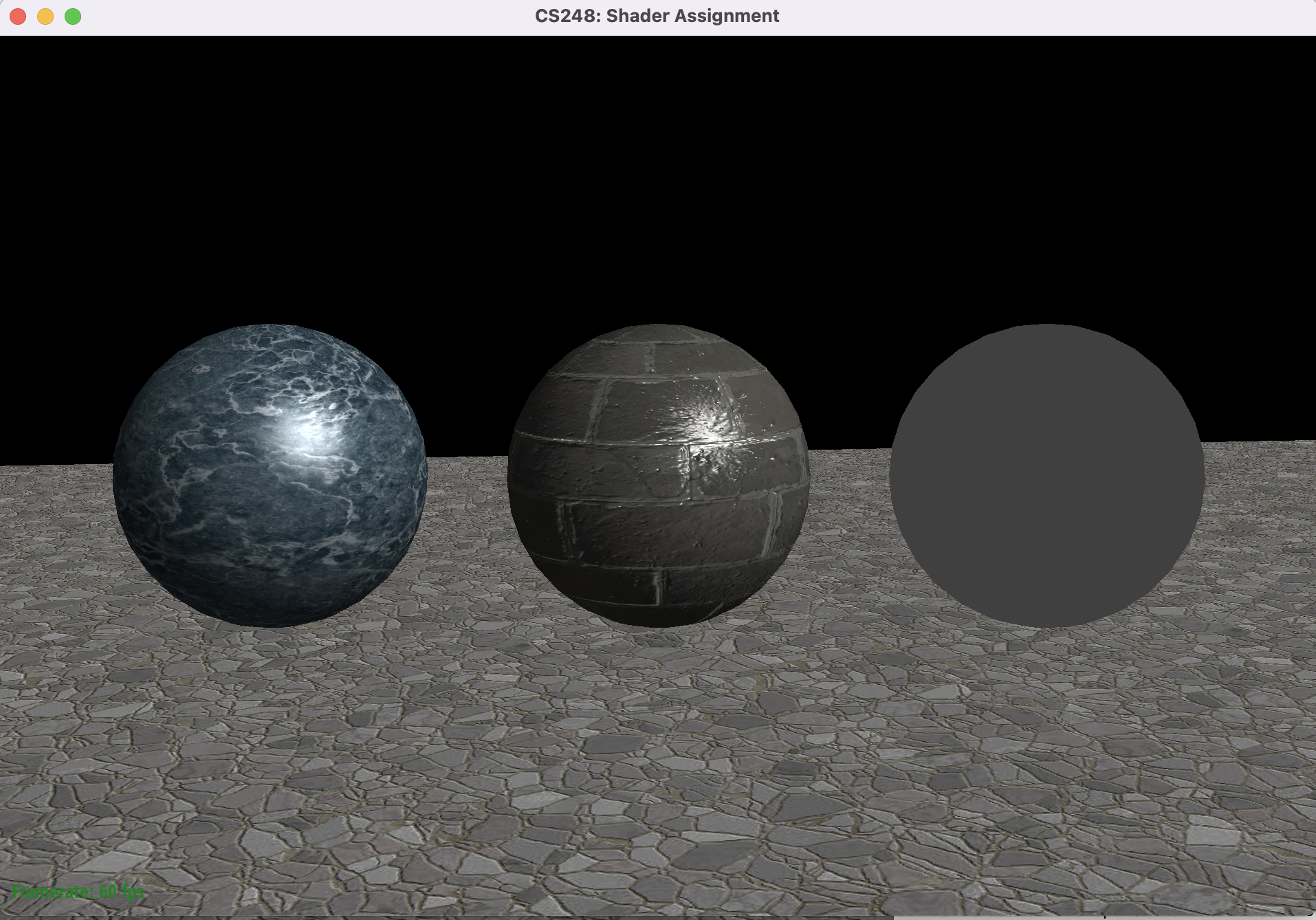
SampleEnvironmentMap 함수를 보면 vec3(0.25, 0.25, 0.25) 를 return하고 있죠. 그래서 Part3의 이미지에서 우측 거울공은 어두운 회색을 띄고있었습니다. 이를 수정해서 MirrorBRDF가 동작하게 만들어야겠습니다.
vec3 SampleEnvironmentMap(vec3 D)
{
    //
    // TODO CS248 Part 4: Environment Mapping
    // sample environment map in direction D.  This requires
    // converting D into spherical coordinates where Y is the polar direction
    // (warning: in our scene, theta is angle with Y axis, which differs from
    // typical convention in physics)
    //
    // Tips:
    //
    // (1) See GLSL documentation of acos(x) and atan(x, y)
    //
    // (2) atan() returns an angle in the range -PI to PI, so you'll have to
    //     convert negative values to the range 0 - 2PI
    //
    // (3) How do you convert theta and phi to normalized texture
    //     coordinates in the domain [0,1]^2?

    return vec3(.25, .25, .25);
}
SampleEnvironmentMap 는 D방향의 벡터를 구면좌표계의 ($\phi$, $\theta$) 값으로 변환한 뒤, 이를 texture uv의 (0~1, 0~1) 좌표로 변환하여 텍스쳐값을 가져와주면 됩니다.
shader.frag에서 수정할 부분을 정리하자면,
- V 벡터의 반사 값 R 벡터 구하기
- D 방향의 벡터를 texture uv (0~1, 0~1) 로 변환하는 SampleEnvironmentMap 함수 구현하기
두 가지를 해주면 될 것 같습니다.
V 벡터의 반사 값 R 벡터 구하기
Part2에서의 Phone Reflection을 구현할 때 반사 벡터를 구하는 코드를 사용했었습니다.
그 식을 바로 사용하겠습니다.
/////////////////////////////////////////////////////////////////////////
// Phase 2: Evaluate lighting and surface BRDF
/////////////////////////////////////////////////////////////////////////

if (useMirrorBRDF) {
    //
    // TODO: CS248 Part 4: Environment Mapping:
    // compute perfect mirror reflection direction here.
    // You'll also need to implement environment map sampling in SampleEnvironmentMap()
    //
    vec3 R = normalize(2 * max(dot(V, N), 0.) * N - V);
    //

    // sample environment map
    vec3 envColor = SampleEnvironmentMap(R);

    // this is a perfect mirror material, so we'll just return the light incident
    // from the reflection direction
    fragColor = vec4(envColor, 1);
    return;
}
다음은 SampleEnvironmentMap 함수입니다.
먼저 유클리디안 공간에서 표현된 방향벡터 D (x,y,z) 를 구면좌표계 ($\rho, \phi, \theta$) 로 표현해봅시다.
우리는 벡터에 대해 계산하기 때문에 D는 normalize시키고, $\rho = 1$ 로 고정합니다.
그렇다면 XYZ좌표계 => 구면좌표계 ($\phi, \theta$) 변환은 다음과 같이 계산할 수 있습니다.
여기서 sgn(y)을 붙여주어야 $\phi$ 값을 $ 0 <= \phi <= 2\pi $ 범위로 나타낼 수 있다는 점에 주의해주세요.

해당 식을 셰이더 코드로 옮겨봅시다.
ec3 SampleEnvironmentMap(vec3 D)
{
    //
    // TODO CS248 Part 4: Environment Mapping
    // sample environment map in direction D.  This requires
    // converting D into spherical coordinates where Y is the polar direction
    // (warning: in our scene, theta is angle with Y axis, which differs from
    // typical convention in physics)
    //
    // Tips:
    //
    // (1) See GLSL documentation of acos(x) and atan(x, y)
    //
    // (2) atan() returns an angle in the range -PI to PI, so you'll have to
    //     convert negative values to the range 0 - 2PI
    //
    // (3) How do you convert theta and phi to normalized texture
    //     coordinates in the domain [0,1]^2?

    float theta = acos(D.y);

    float phi = acos(D.z/sqrt(pow(D.z,2)+pow(D.x,2)));
    if (D.x < 0) phi = -phi;

    // theta : 0 < theta < pi
    // phi : 0 < phi < 2*pi
    vec2 texture_uv = vec2(phi/(2*PI),theta/PI);

    return texture(environmentTextureSampler, texture_uv).rgb;
}
$ 0 < \theta < \pi $ 범위, $ 0 < \phi < 2 \phi $ 범위를 텍스쳐의 UV 좌표로 옮겨주기위해
각각 $\pi, 2\pi$로 나누어주었습니다.
환경광을 전부 mirror reflection하는 sphere를 렌더링하는데에 성공했습니다.
또한, 다음 커맨드로 다른 씬인 거울 주전자를 렌더링해볼 수도 있습니다.
$ ./render ../media/teapot/teapot.json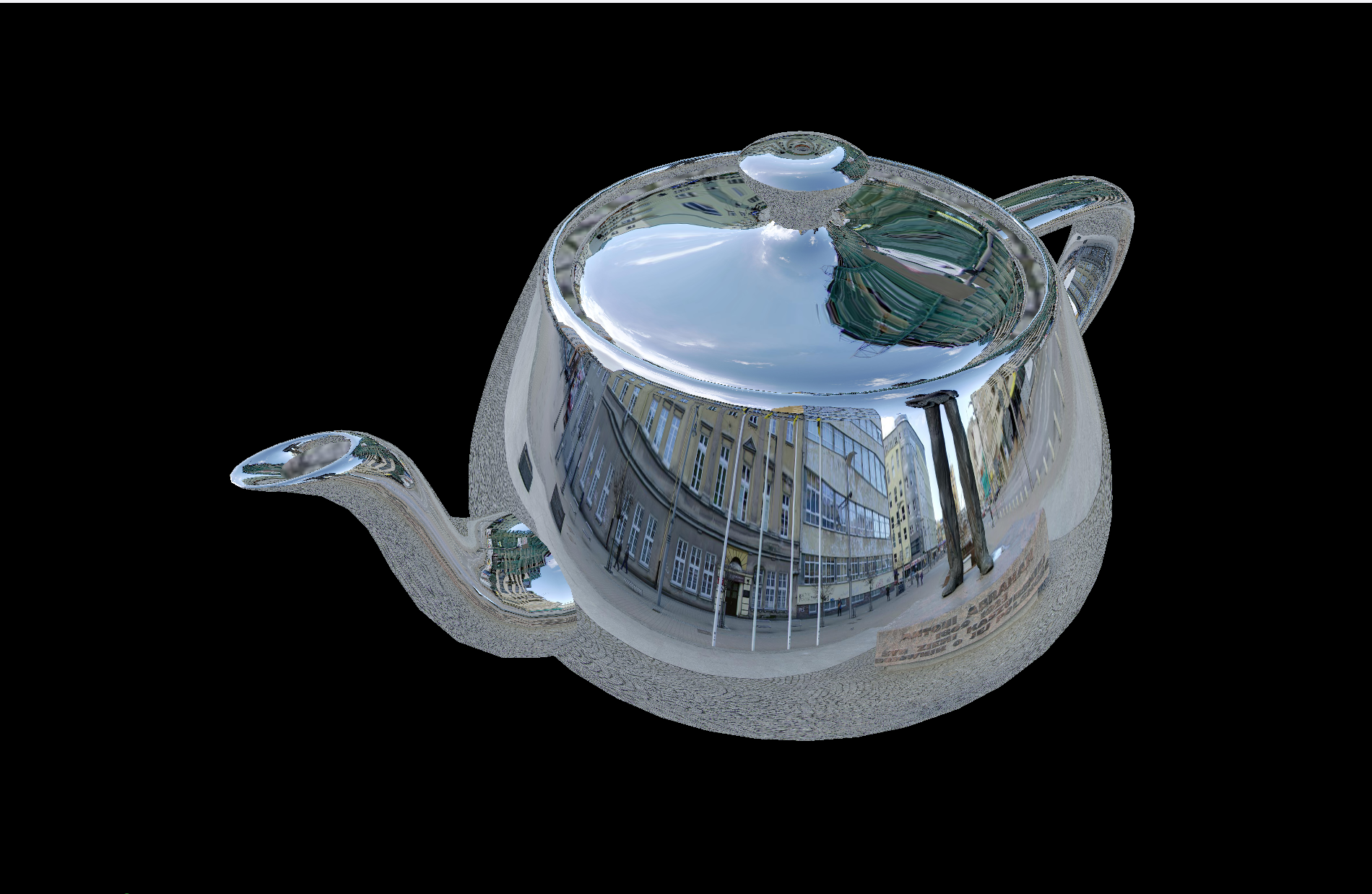
복잡한 메쉬의 형태도 잘 reflection하는 것을 볼 수 있습니다.
소스코드
https://github.com/Jooh34/shading
GitHub - Jooh34/shading: Stanford CS248 Assignment 3: Real-time Shading
Stanford CS248 Assignment 3: Real-time Shading. Contribute to Jooh34/shading development by creating an account on GitHub.
github.com
Reference
https://github.com/stanford-cs248/shading
GitHub - stanford-cs248/shading: Stanford CS248 Assignment 3: Real-time Shading
Stanford CS248 Assignment 3: Real-time Shading. Contribute to stanford-cs248/shading development by creating an account on GitHub.
github.com
https://en.wikipedia.org/wiki/Spherical_coordinate_system
Spherical coordinate system - Wikipedia
From Wikipedia, the free encyclopedia Jump to navigation Jump to search 3-dimensional coordinate system Spherical coordinates (r, θ, φ) as commonly used in physics (ISO 80000-2:2019 convention): radial distance r (distance to origin), polar angle θ (the
en.wikipedia.org
'OpenGL > CS-248 셰이더 프로그래밍' 카테고리의 다른 글
| Part 5-2 : 쉐도우 매핑 (Shadow Mapping) - 1 (0) | 2023.01.17 |
|---|---|
| 셰이더 프로그래밍 - Part 5-1 : Spotlights 추가하기 (0) | 2023.01.16 |
| 셰이더 프로그래밍- Part 3: 노말 매핑 (Normal mapping) (0) | 2023.01.05 |
| 셰이더 프로그래밍 - Part 2: 퐁 반사모델 구현하기 (0) | 2023.01.03 |
| 셰이더 프로그래밍 - Part 1: Coordinate 변환 (Coordinate transform) (2) | 2023.01.01 |