안녕하세요.
CS248 강의의 과제3 Real-Time Shader Programming을 풀어봅시다.
깃헙링크 먼저 첨부합니다.
https://github.com/stanford-cs248/shading
Summary
이번 과제에서는 간단한 real-time 렌더러와 3D 씬을 제공합니다. Starter 코드에는 아주 간단한 material과 lighting 모델이 구현되어있어서 결과 이미지가 썩 좋지 못합니다. 이번 과제는 GLSL라는 OpenGL Shading Language과 C++로 작성된 OpenGL Client를 사용하여 lighting 과 material shading 효과를 구현하여 결과 이미지 렌더링 퀄리티를 높여볼 것입니다. 이번 과제의 목표는 최신 shading 프로그래밍 경험을 쌓고, material 패턴 로직, material BRDF, lighting 계산이 어떻게 합쳐져서 표면 반사가 일어나는지 이해하는 것입니다.
Build Instruction
https://github.com/stanford-cs248/shading#os-xlinux-build-instructions
빌드 방법은 해당 링크에서 따라해주세요.
$ cd shading && mkdir build && cd build
$ cmake ..
$ make
까지 정상 실행되어 render파일이 생성되면 성공입니다.
Part 1: Coordinate transform
첫번째 과제로는 world space를 camera space로 옮기는 transformation matrix를 구현함으로써,
마우스 input을 받아 카메라와 상호작용하는 기능을 구현하는 것입니다.
시작하기전에, spheres 씬을 먼저 띄워봅니다.
./render ../media/spheres/spheres.json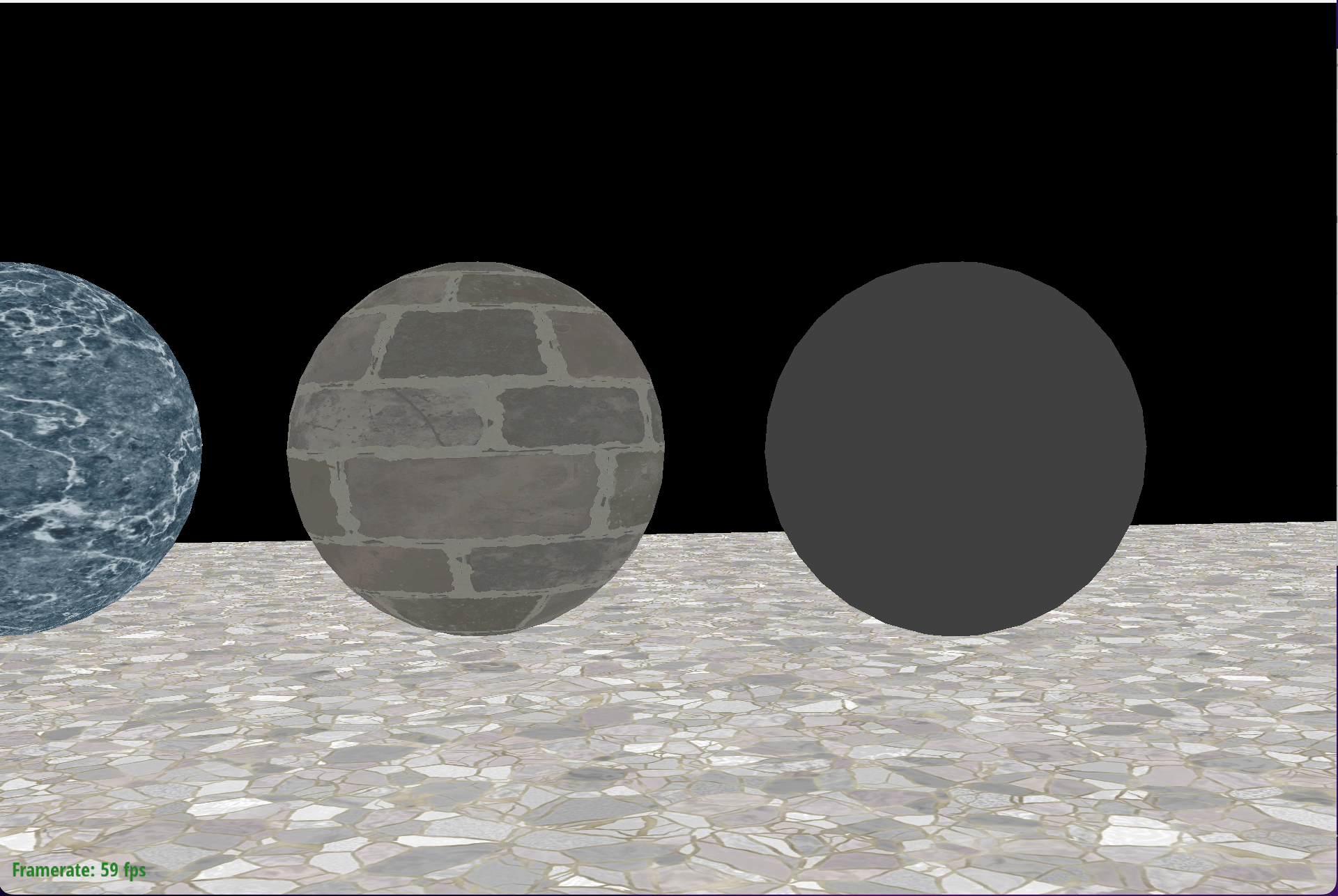
그럼 다음과 같은 이미지가 렌더링되는데요, 이 때는 마우스를 아무리 작동해도 반응이 없습니다.
src/dynamic_scene/scene.cpp:Scene::createWorldToCameraMatrix() 함수를 완성시켜서 마우스 interaction을 구현하는 것이 목표입니다.
마우스 input을 받아 속성을 저장하는 코드는 Starter Code에 이미 작성되어있습니다.
application.cpp 파일을 보면
void Application::cursor_event(float x, float y) {
    if (leftDown && !middleDown && !rightDown) {
        mouse1_dragged(x, y);
    } else if (!leftDown && !middleDown && rightDown) {
        mouse2_dragged(x, y);
    } else if (!leftDown && !middleDown && !rightDown) {
        mouse_moved(x, y);
    }

    mouseX = x;
    mouseY = y;
}
해당 함수 콜을 따라가보면 Camera객체에 카메라 위치, 보는 방향 등 속성을 저장하는 것을 확인하실 수 있습니다.
다시 과제로 돌아가보겠습니다.
먼저, createWorldToCameraMatrix 함수를 보면
Matrix4x4 createWorldToCameraMatrix(const Vector3D& eye, const Vector3D& at, const Vector3D& up) {

  // TODO CS248 Part 1: Coordinate transform
  // Compute the matrix that transforms a point in world space to a point in camera space.

  return Matrix4x4::translation(Vector3D(-20,0,-150));
}
다음과 같네요.
eye는 카메라의 위치를 좌표값으로, at은 카메라가 보고있는 점을 좌표값으로, up은 카메라의 머리방향을 나타냅니다.
Starter Code에서 인수들은 잘 넘어온다고 생각하고 코드를 짜 봅시다.

위 그림에서 local space를 camera space라고 생각해봅시다.
world space 에서 정의된 좌표를 camera space로 옮기려면, rotation 한번과 translation한번이 필요합니다.
먼저 translation은 간단하게 카메라 position으로 이동해주면 되기 때문에 다음과 같이 정의합니다.
  double M_T_data[16] = {
    1.f, 0.f, 0.f, -eye[0],
    0.f, 1.f, 0.f, -eye[1],
    0.f, 0.f, 1.f, -eye[2],
    0.f, 0.f, 0.f, 1.f,
  };

  Matrix4x4 M_T = Matrix4x4(M_T_data);
다음으로 rotation matrix를 정의해주어야하는데요,
만약 world좌표계 기준, camera의 RUF값을 알 수 있다면 다음과 같이 matrix를 정의할 수 있습니다.
$\begin{equation*}
M_{R} =
\begin{pmatrix}
R_{x} & R_{y} & R_{z} \\
U_{x} & U_{y} & U_{z} \\
-F_{x} & -F_{y} & -F_{z}
\end{pmatrix}
\end{equation*}$
여기서 F은 카메라가 바라보는 방향의 vector를 의미하고,
U는 카메라의 머리방향을 의미합니다. (중요한건 바라보는 방향과 수직이어야 합니다.)
R는 우측 방향을 의미합니다. 카메라가 바라보는 방향, 머리방향과 각각 수직이겠죠?
Matrix4x4 createWorldToCameraMatrix(const Vector3D& eye, const Vector3D& at, const Vector3D& up) {

  // TODO CS248 Part 1: Coordinate transform
  // Compute the matrix that transforms a point in world space to a point in camera space.

  Vector3D F = (at - eye);
  F.normalize();
  Vector3D R = cross(F, up);
  R.normalize();
  Vector3D U = cross(R, F);
  U.normalize();

  double M_R_data[16] = {
    R[0], R[1], R[2], 0.f,
    U[0], U[1], U[2], 0.f,
    -F[0], -F[1], -F[2], 0.f,
    0.f, 0.f, 0.f, 1.f
  };
그렇다면 Rotation Matrix는 코드로 다음과 같이 정의할 수 있습니다.
  Matrix4x4 M = M_R * M_T;
  return M;
마지막으로 rotation matrix와 translation matrix를 곱해서 return해주면 완성입니다.
OpenGL은 column major 방식으로 뒤에 있는 Matrix먼저 적용되기 때문에
이동 -> 회전 순서대로 적용됩니다.
이후, 다음 명령어로 다시 컴파일하여 실행하면
$ make
$ ./render ../media/spheres/spheres.json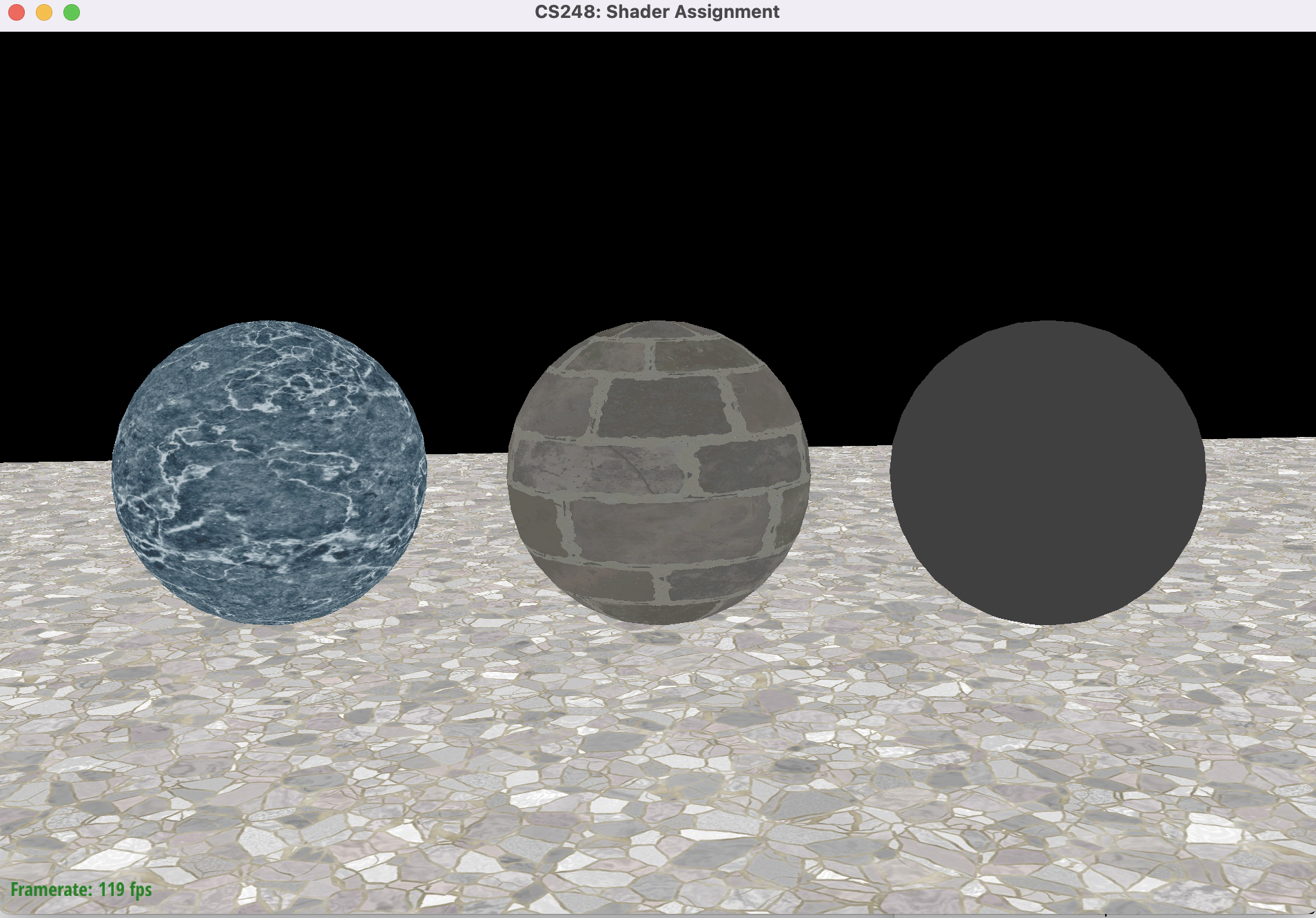
마우스 좌클릭+드래그: rotation
마우스 우클릭+드래그: translation
마우스 스크롤: 앞뒤로 translation
이 작동하는 것을 볼 수 있습니다.
소스코드
https://github.com/Jooh34/shading
GitHub - Jooh34/shading: Stanford CS248 Assignment 3: Real-time Shading
Stanford CS248 Assignment 3: Real-time Shading. Contribute to Jooh34/shading development by creating an account on GitHub.
github.com
출처
https://github.com/stanford-cs248/shading
Computing the Pixel Coordinates of a 3D Point (Mathematics of Computing the 2D Coordinates of a 3D Point)
Computing the Pixel Coordinates of a 3D Point News (August, 31): We are working on Scratchapixel 3.0 at the moment (current version of 2). The idea is to make the project open source by storing the content of the website on GitHub as Markdown files. In pra
www.scratchapixel.com
'OpenGL > CS-248 셰이더 프로그래밍' 카테고리의 다른 글
| Part 5-2 : 쉐도우 매핑 (Shadow Mapping) - 1 (0) | 2023.01.17 |
|---|---|
| 셰이더 프로그래밍 - Part 5-1 : Spotlights 추가하기 (0) | 2023.01.16 |
| 셰이더 프로그래밍 - Part 4: 환경광 추가하기 (0) | 2023.01.15 |
| 셰이더 프로그래밍- Part 3: 노말 매핑 (Normal mapping) (0) | 2023.01.05 |
| 셰이더 프로그래밍 - Part 2: 퐁 반사모델 구현하기 (0) | 2023.01.03 |