Part 5에서는 spotlight 이라는 고급 광원을 사용하고, 그림자 매핑(shadow mapping)을 사용하여 점 광원의 그림자를 부드럽게 만들어볼 것입니다. 이 고급 광원은 우리의 렌더링을 아주 실사같이 만들어줄 것입니다. 이번 과제를 마친다면, media/spheres/spheres_shadow.json 씬을 렌더링했을 때 다음 이미지같이 보일 것입니다.
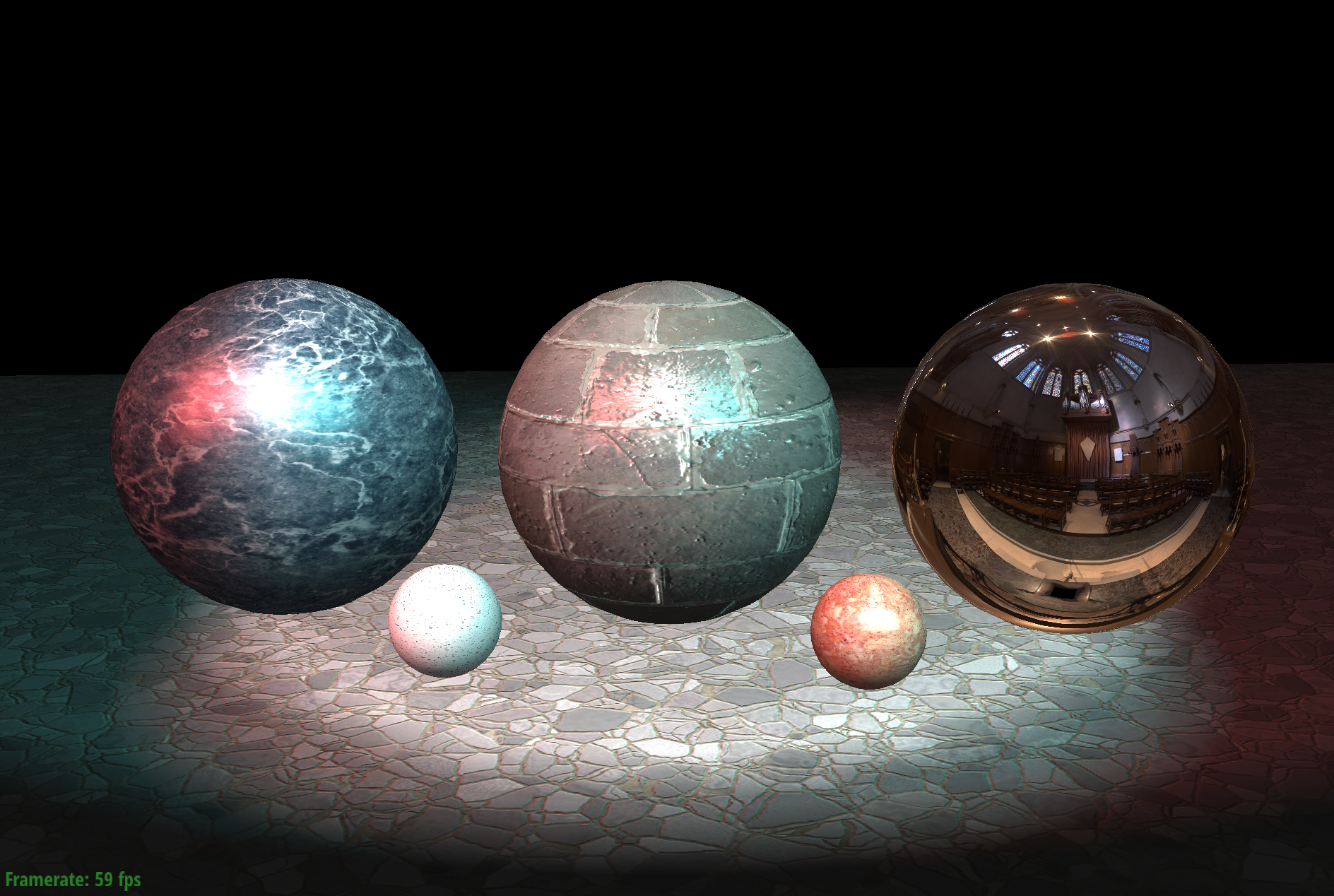
이 씬은 세 개의 spotlights로 이루어져있습니다.
왼쪽 앞 방향으로부터 빨간 spotlight 빛이 들어오고, 앞 방향에서 하얀색 빛이, 그리고 우측 앞 방향으로부터 청록색 빛이 들어옵니다.
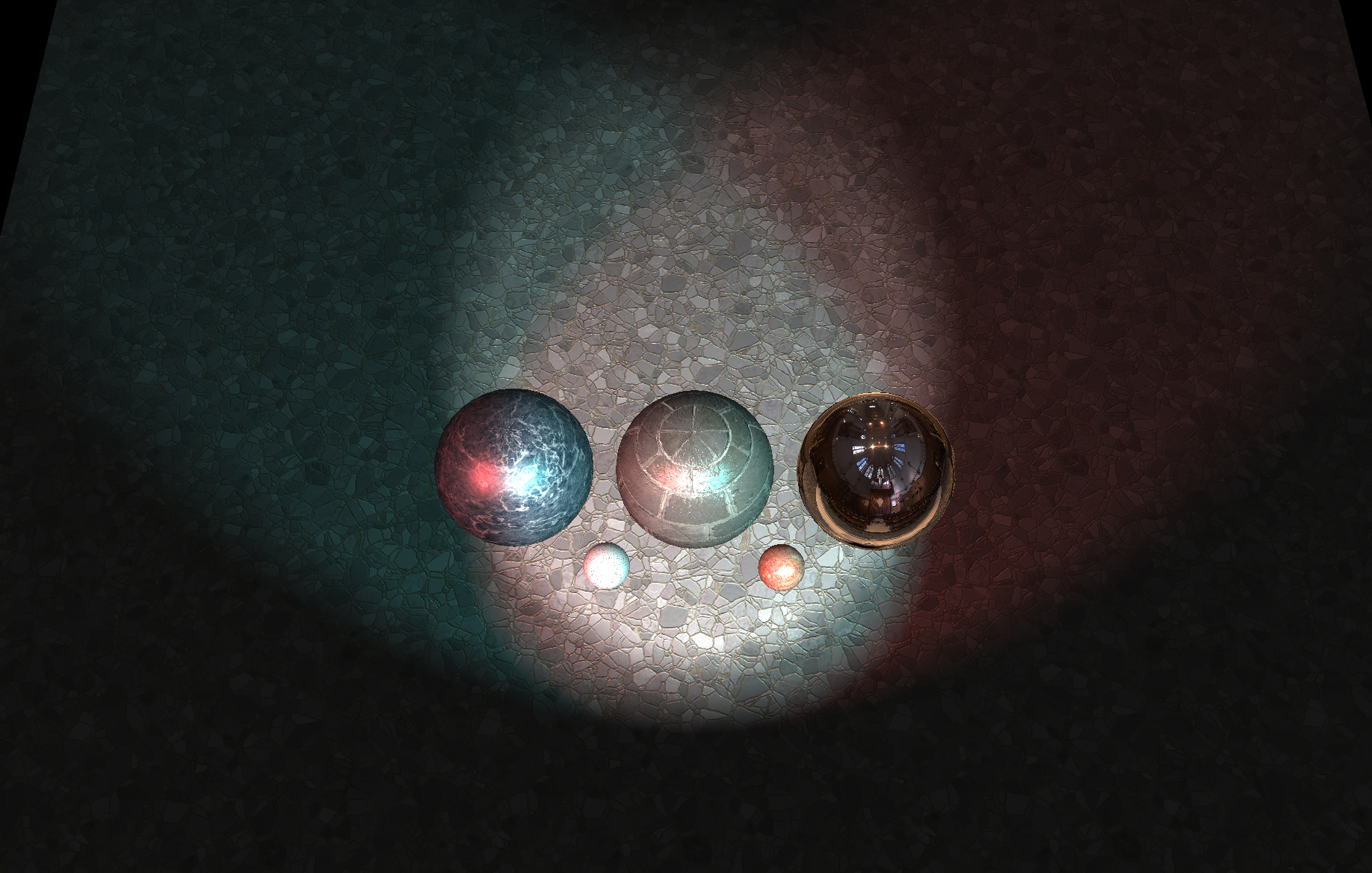
아래 이미지는 위에서 씬을 내려다봤을 때 모습입니다.
수정해야 할 부분
이 과제에서 처음으로 해야할 부분은 spotlights 렌더링을 위해 fragment shader를 수정하는 일입니다.
src/shader/shader_shadow.frag 파일을 수정해야합니다.
Part 1~4 과제에서 수정했던 부분을 이 파일에 가져와서 media/spheres/spheres_shadow.json 씬이 텍스쳐 매핑, 노말 매핑, 환경광이 잘 동작할 수 있도록 shader_shadow.vert와 shader_shadow.frag 파일을 수정해주세요.
shader_shadow.vert 파일
...

    // TODO CS248 Part 3: Normal Mapping: compute 3x3 tangent space to world space matrix here: tan2world
    //

    // Tips:
    //
    // (1) Make sure you normalize all columns of the matrix so that it is a rotation matrix.
    //
    // (2) You can initialize a 3x3 matrix using 3 vectors as shown below:
    // vec3 a, b, c;
    // mat3 mymatrix = mat3(a, b, c)
    // (3) obj2worldNorm is a 3x3 matrix transforming object space normals to world space normals
    // compute tangent space to world space matrix

    normal = obj2worldNorm * vtx_normal;

    vertex_diffuse_color = vtx_diffuse_color;
    texcoord = vtx_texcoord;
    dir2camera = camera_position - position;
    gl_Position = mvp * vec4(vtx_position, 1);

    if (useNormalMapping) {
        vec3 B = normalize(cross(normal, vtx_tangent));
        vec3 T = normalize(vtx_tangent);

        // mat3 constructor is column-major
        tan2world = mat3(T, B, normal);
    }
}
shader_shadow.frag 파일
...
//
// texture maps
//

uniform sampler2D diffuseTextureSampler;

// TODO CS248 Part 3: Normal Mapping

uniform sampler2D normalTextureSampler;

// TODO CS248 Part 4: Environment Mapping

uniform sampler2D environmentTextureSampler;

...


// Simple diffuse brdf
//
// L -- direction to light
// N -- surface normal at point being shaded
//
vec3 Diffuse_BRDF(vec3 L, vec3 N, vec3 diffuse_color) {
    return diffuse_color * max(dot(N, L), 0.);
}

vec3 Specular_BRDF(vec3 L, vec3 V, vec3 N, vec3 specular_color, float specular_exponent) {
    vec3 R = normalize(2 * max(dot(L, N), 0.) * N - L);
    // vec3 R = normalize(2 * dot(L, N) * N - L);
    return specular_color * pow(max(dot(R, V), 0.), specular_exponent);
}


//
// Phong_BRDF --
//
// Evaluate phong reflectance model according to the given parameters
// L -- direction to light
// V -- direction to camera (view direction)
// N -- surface normal at point being shaded
//
vec3 Phong_BRDF(vec3 L, vec3 V, vec3 N, vec3 diffuse_color, vec3 specular_color, float specular_exponent)
{
    // TODO CS248 Part 2: Phong Reflectance
    // Implement diffuse and specular terms of the Phong
    // reflectance model here.

    float k_a = 0.1;
    float k_d = 0.7;
    float k_s = 0.7;

    vec3 c_a = k_a * diffuse_color;
    vec3 c_d = k_d * Diffuse_BRDF(L, N, diffuse_color);
    vec3 c_s = k_s * Specular_BRDF(L, V, N, specular_color, specular_exponent);

    return c_a + c_d + c_s;
}

//
// SampleEnvironmentMap -- returns incoming radiance from specified direction
//
// D -- world space direction (outward from scene) from which to sample radiance
//
vec3 SampleEnvironmentMap(vec3 D)
{
    // TODO CS248 Part 4: Environment Mapping
    // sample environment map in direction D.  This requires
    // converting D into spherical coordinates where Y is the polar direction
    // (warning: in our scene, theta is angle with Y axis, which differs from
    // typical convention in physics)
    //
    // Tips:
    //
    // (1) See GLSL documentation of acos(x) and atan(x, y)
    //
    // (2) atan() returns an angle in the range -PI to PI, so you'll have to
    //     convert negative values to the range 0 - 2PI
    //
    // (3) How do you convert theta and phi to normalized texture
    //     coordinates in the domain [0,1]^2?
    float theta = acos(D.y);

    float phi = acos(D.z/sqrt(pow(D.z,2)+pow(D.x,2)));
    if (D.x < 0) phi = -phi;

    // theta : 0 < theta < pi
    // phi : 0 < phi < 2*pi
    vec2 texture_uv = vec2(phi/(2*PI),theta/PI);

    return texture(environmentTextureSampler, texture_uv).rgb;
}

...


    if (useNormalMapping) {
       // TODO: CS248 Part 3: Normal Mapping:
       // use tan2World in the normal map to compute the
       // world space normal baaed on the normal map.

       // Note that values from the texture should be scaled by 2 and biased
       // by negative -1 to covert positive values from the texture fetch, which
       // lie in the range (0-1), to the range (-1,1).
       //
       // In other words:   tangent_space_normal = texture_value * 2.0 - 1.0;

       // replace this line with your implementation

        vec3 normal_rgb = texture(normalTextureSampler, texcoord).rgb;
        vec3 tangent_space_normal = normal_rgb * 2.0 - 1.0;

        N = tan2world * tangent_space_normal;
        N = normalize(N);

    } else {
       N = normalize(normal);
    }

    vec3 V = normalize(dir2camera);
    vec3 Lo = vec3(0.1 * diffuseColor);   // this is ambient

    /////////////////////////////////////////////////////////////////////////
    // Phase 2: Evaluate lighting and surface BRDF
    /////////////////////////////////////////////////////////////////////////

    if (useMirrorBRDF) {
        //
        // TODO: CS248 Environment Mapping:
        // compute perfect mirror reflection direction here.
        // You'll also need to implement environment map sampling in SampleEnvironmentMap()
        //
        vec3 R = normalize(2 * max(dot(V, N), 0.) * N - V);


        // sample environment map
        vec3 envColor = SampleEnvironmentMap(R);

        // this is a perfect mirror material, so we'll just return the light incident
        // from the reflection direction
        fragColor = vec4(envColor, 1);
        return;
    }
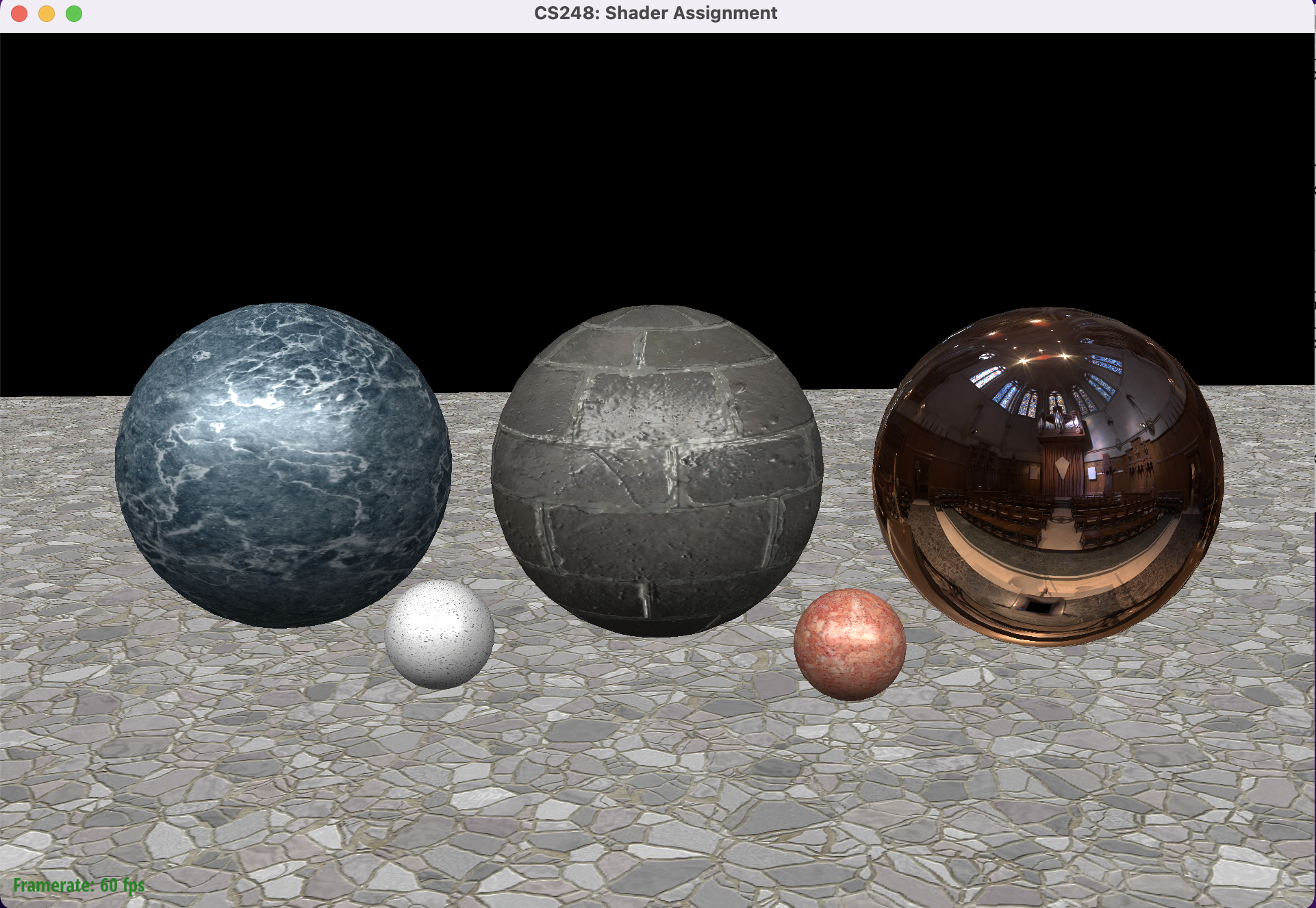
자 두 파일을 수정했다면, 이번 Part 5-1를 시작할 준비가 되었습니다.
spheres_shadow.json 씬에서 텍스쳐 매핑, 노말 매핑, 환경광이 잘 동작하는지만 보고 시작합시다.
$ ./render ../media/spheres/spheres_shadow.json
media/spheres/spheres_shadow.json 씬 렌더링 이미지
Part 5-1 : Spotlight 추가하기 시작
shader_shadow.frag 파일 수정
shader_shadow.frag 파일에서 spotlights loop 안쪽에 spotlight의 illumination을 계산하는 코드를 추가해봅시다.
스타터 코드에 세부사항이 있지만 가볍게 요약하자면, spotlight은 방향을 가진 빛이며, 방향으로 cone angle 안쪽의 부분만 빛추는 광원입니다. 광원의 세기는 거리 D에 따라 1/D^2만큼 감쇠합니다.
거리로 인한 감쇠 (attenuation) 구현
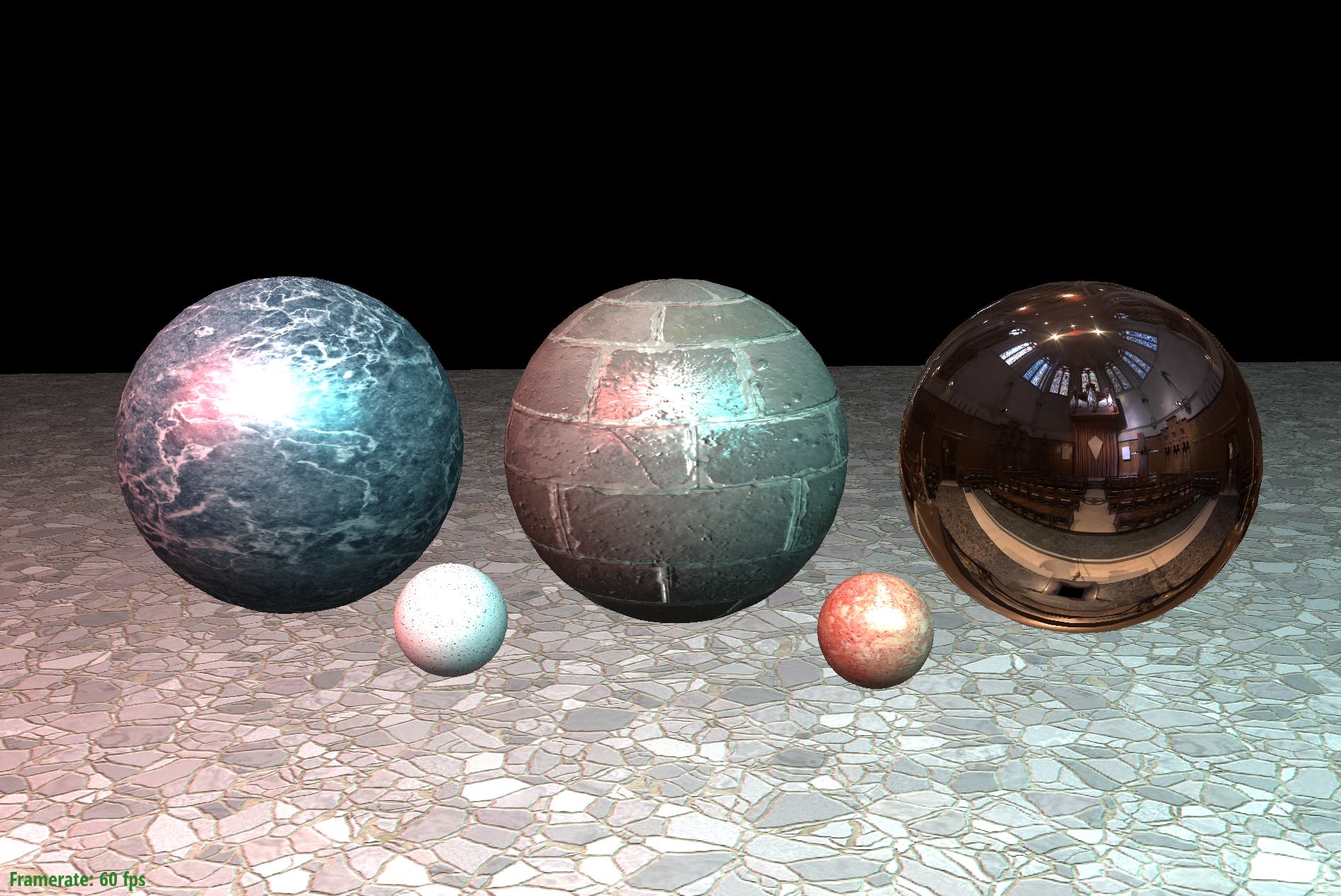
spotlight에서 멀어질 수록 1 / (1 + D^2) 값으로 감쇠시킵니다.
// CS248: remove this once you perform proper attenuation computations
float D = length(dir_to_surface);
float distance_attenuation = 1. / (1.+pow(D, 2.));
intensity *= distance_attenuation;
아래처럼 빨강, 흰색, 청록 색 spotlight의 빛을 확인할 수 있습니다.
Spotlight 원뿔범위에서 벗어남으로 인한 감소
(attentuation due to being outside the spotlight's cone)
설명을 보면,
// 2. Modulate the resulting intensity based on whether the surface point is in the cone of
//    illumination.  To achieve a smooth falloff, consider the following rules
//
//    -- Intensity should be zero if angle between the spotlight direction and the vector from
//       the light position to the surface point is greater than (1.0 + SMOOTHING) * cone_angle
//
//    -- Intensity should not be further attentuated if the angle is less than (1.0 - SMOOTHING) * cone_angle
//
//    -- For all other angles between these extremes, interpolate linearly from unattenuated
//       to zero intensity.
//
//    -- The reference solution uses SMOOTHING = 0.1, so 20% of the spotlight region is the smoothly
//       facing out area.  Smaller values of SMOOTHING will create hard spotlights.
결과 intensity를 조절해야하는데, illumination 원뿔 범위 안에 있는지를 바탕으로 조절한다고 합니다.
부드러운 falloff (그림자 바깥으로가면서 옅어지는 현상) 를 구현하기 위해서는 다음 조건을 따라야합니다.
- spotlight방향과, (광원->표면)벡터의 각이 (1.0 + SMOOTHING) * cone_angle 보다 크면, intensity가 0이 됩니다.
- 각이 (1.0 - SMOOTHING) * cone_angle 보다 작으면, 더 이상 감쇠되지 않습니다.
- 위의 두 조건 이외의 각에서는 0부터 원래 intensity 까지 선형으로 보간합니다.
- 레퍼런스 솔루션에서는 SMOOTING값은 0.1로 사용하여 대략 20%의 spotlight범위가 부드럽게 보입니다. 더 작은 값은 hard spotlight, 즉 경계가 더 뚜렷한 spotlight를 그릴 것 입니다.
위의 구현을 glsl 코드로 변환하면 다음과 같습니다.
유효범위를 (1.0 - SMOOTHING) * cone_angle ~ (1.0 + SMOOTHING) * cone_angle 로 바꾸고, (range 변수)
value 를 (1.0 - SMOOTHING) * cone_angle 부터 angle 까지 크기입니다.
value / range 를 해주면 0~1 사이로 보간이 되고, 0보다 작은 값은 0으로, 1보다 큰 값은 1로 변환해줍니다.
마지막으로,
각이 클수록 (원뿔 범위에서 멀어질수록) => 감소 값이 커짐.
각이 작아질수록 (원뿔 범위에 가까워질수록) => 감소 값이 작아짐.
이므로 (1-ratio)로 반대로 바꿔주어 곱해주면 됩니다.
// CS248: remove this once you perform proper attenuation computations
float D = length(dir_to_surface);
float distance_attenuation = 1. / (1.+pow(D, 2.));
intensity *= distance_attenuation;

float SMOOTHING = 0.1;
float range = 2 * SMOOTHING * cone_angle;
float value = angle - ((1.0 - SMOOTHING) * cone_angle);
float ratio = value/range;
if (ratio < 0) ratio = 0;
else if (ratio > 1) ratio = 1;

intensity *= (1.0 - ratio);
결과 이미지
소스코드
https://github.com/stanford-cs248/shading
GitHub - stanford-cs248/shading: Stanford CS248 Assignment 3: Real-time Shading
Stanford CS248 Assignment 3: Real-time Shading. Contribute to stanford-cs248/shading development by creating an account on GitHub.
github.com
출처
https://github.com/stanford-cs248/shading
GitHub - stanford-cs248/shading: Stanford CS248 Assignment 3: Real-time Shading
Stanford CS248 Assignment 3: Real-time Shading. Contribute to stanford-cs248/shading development by creating an account on GitHub.
github.com
'OpenGL > CS-248 셰이더 프로그래밍' 카테고리의 다른 글
| Part 5-2 : 쉐도우 매핑 (Shadow Mapping) - 2 (0) | 2023.01.29 |
|---|---|
| Part 5-2 : 쉐도우 매핑 (Shadow Mapping) - 1 (0) | 2023.01.17 |
| 셰이더 프로그래밍 - Part 4: 환경광 추가하기 (0) | 2023.01.15 |
| 셰이더 프로그래밍- Part 3: 노말 매핑 (Normal mapping) (0) | 2023.01.05 |
| 셰이더 프로그래밍 - Part 2: 퐁 반사모델 구현하기 (0) | 2023.01.03 |